Wake-up Time
The Wake-up Time feature allows PolyPlan to prepare your daily automations before you start your day, ensuring everything is ready the moment you wake up.
Written By Minh Thư
Last updated Almost 2 years ago
How it works
PolyPlan uses your wake-up time as an anchor point to run the automation as you begin your day. The system:
Reschedule the incomplete tasks on the previous day
Automatically schedule your day with the day template assigned to the current day
Set your Wake-up Time
Use phone app
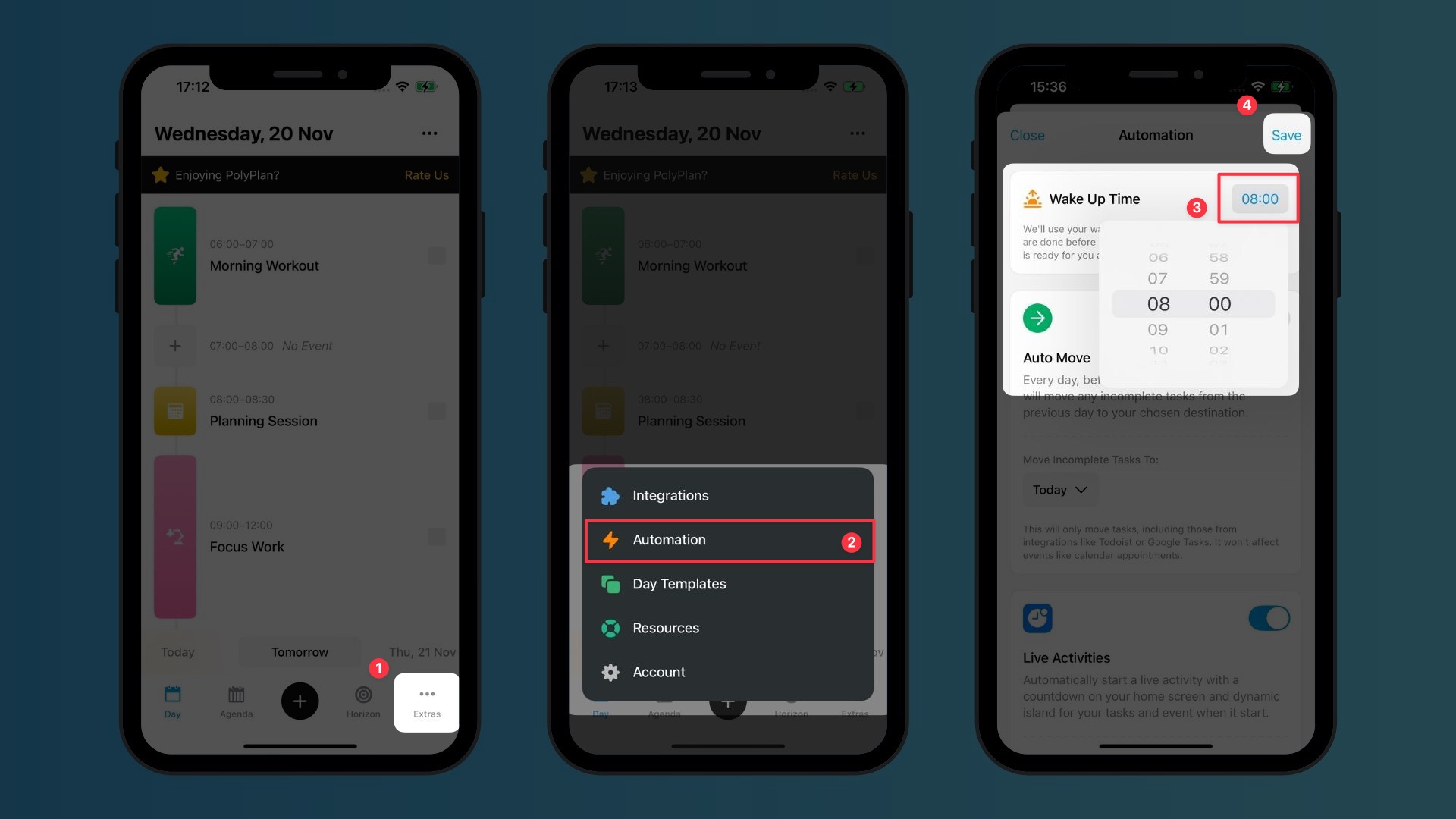
Navigate to the Extras tab, and select Automation
Locate the Wake-up Time section, tap on the time
Choose your typical wake-up time using the time selector
Click Save to confirm your settings
Use web & desktop app
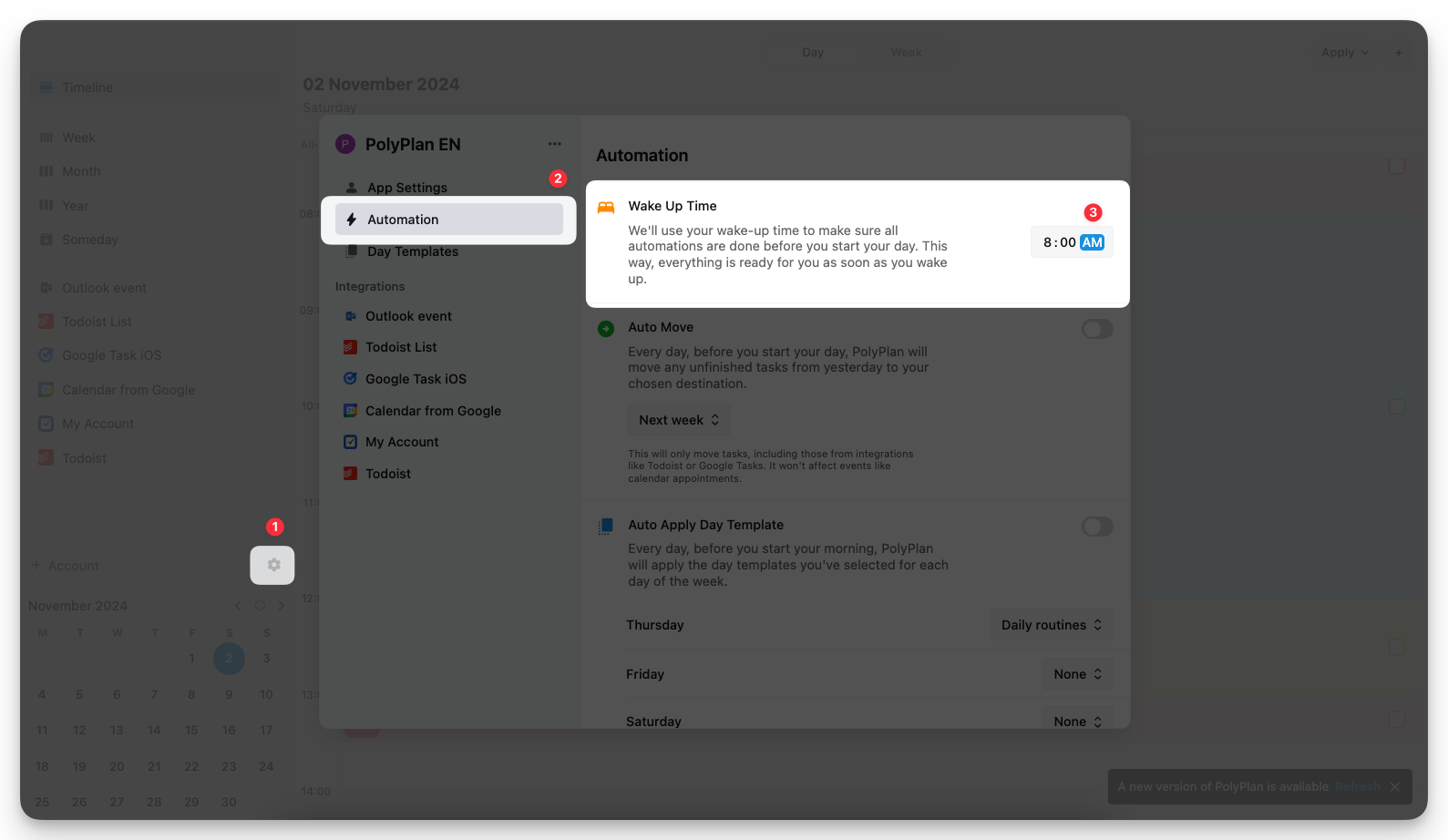
On the left sidebar, click the Settings icon
Navigate to the Automation section
Double-click on the time and modify it using your keyboard, then press Enter to save.
Was this helpful?
Still need help? Share an idea